Three.js Too Many Active WebGL Contexts After dispose()
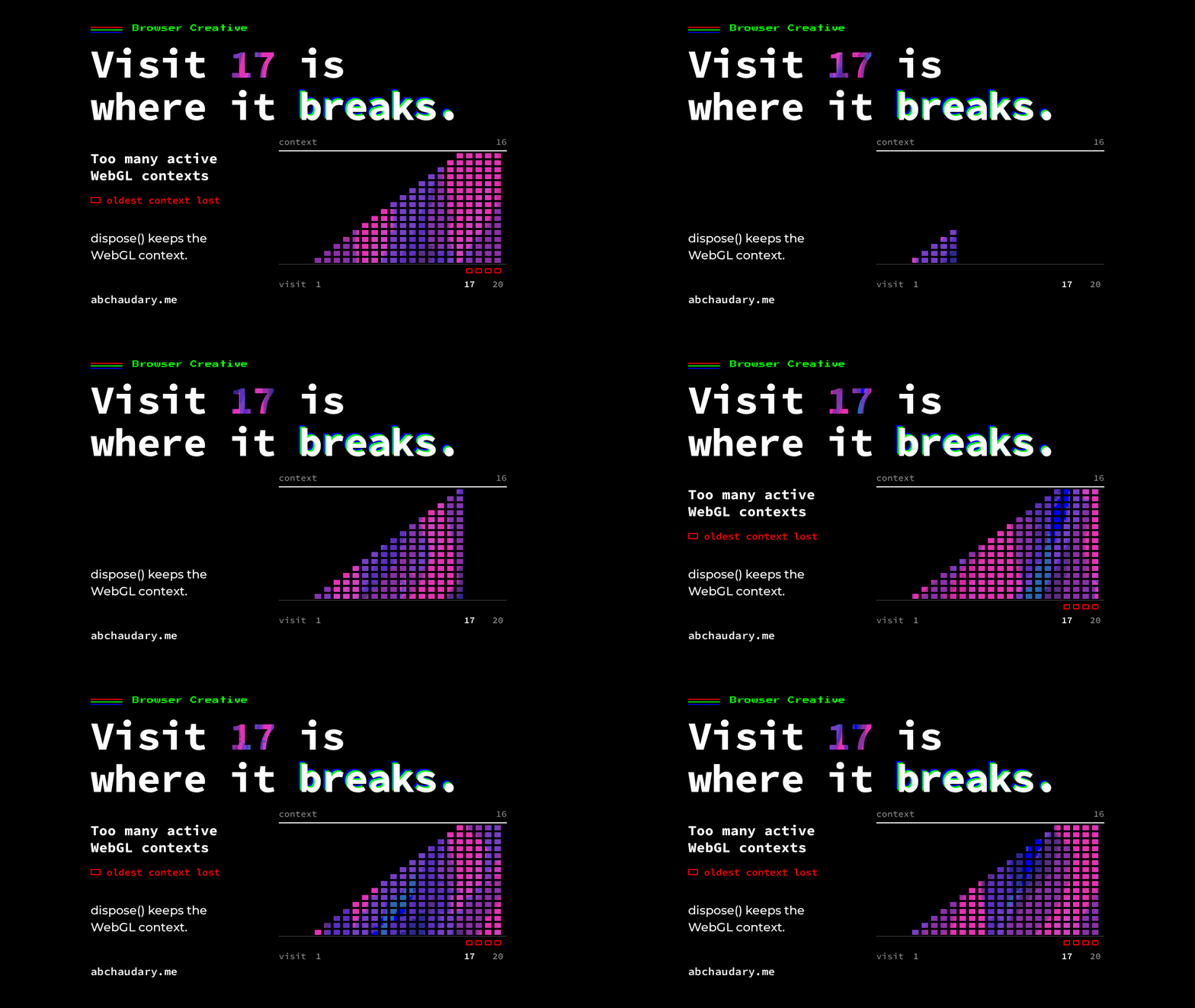
Chrome allows at most 16 active WebGL contexts per renderer process. Three.js renderer.dispose() doesn't release the WebGL context, so a scene remounted on every route visit hits the cap on visit 17.
I wrote a Playwright script that opened my home page, clicked through to the Three.js scene on my about page, switched on the 3D view, waited three seconds and clicked back home. Twenty times, all client-side navigation, one full page load. Visits 1 to 16 printed nothing. On visit 17, the Three.js scene ran into Chrome's "Too many active WebGL contexts" warning:
WARNING: Too many active WebGL contexts. Oldest context will be lost.Chrome printed it again on 18, 19 and 20. The scene's cleanup runs dispose() on every exit, and that calls renderer.dispose(). The contexts piled up anyway.
TL;DR: Chrome keeps at most 16 active WebGL contexts per renderer process on desktop (8 on Android) and loses the oldest when one more is created. Three.js renderer.dispose() frees Three.js's own resources but doesn't release the WebGL context. If your app builds a new renderer on every route visit, add renderer.forceContextLoss() to the unmount, or reuse one renderer.
What causes the Three.js "Too many active WebGL contexts" warning?
The warning comes from Chrome, not Three.js. Chrome caps active WebGL contexts at 16 per renderer process on desktop and 8 on Android. When one more is created past the cap, Chrome forcibly loses the oldest and prints that line.
Both numbers sit in Chromium's source, in content/renderer/webgraphicscontext3d_provider_impl.cc (excerpt):
#if BUILDFLAG(IS_ANDROID)
    prefs.max_active_webgl_contexts = 8u;
#else
    prefs.max_active_webgl_contexts = 16u;
#endif
The warning itself is in Blink's webgl_rendering_context_base.cc, inside the loop that calls ForciblyLoseOldestContext. Safari has its own cap of 16 in WebKit's source, with a different message: "There are too many active WebGL contexts on this page, the oldest context will be lost."
Does renderer.dispose() release the WebGL context?
No. The scene's cleanup calls Three.js renderer.dispose() on every unmount, and in my test the contexts stayed active until Chrome hit its cap. The Three.js docs describe dispose() as freeing "the GPU-related resources allocated by this instance". They don't mention returning the context to the browser, and in Three.js r167 (0.167.1) it doesn't.
Here's what the scene's cleanup looked like before the fix, in src/app/(site)/about/helpers/ThreeJSScene.js:
dispose = () => {
  this.disposed = true;
  this.active = false;
  if (this.frameId !== null) cancelAnimationFrame(this.frameId);
  // ...window listeners removed...
  this.composer.dispose?.();
  this.renderer.dispose();
}
Animation frame cancelled, listeners gone, composer and renderer disposed. It reads like a complete teardown. In the r167 source, dispose() clears the renderer's internal caches and removes its context event listeners. Nothing in it releases the context.
The Three.js maintainers left it out on purpose. dispose() did force a context loss for one release (r115, merged 5 March 2020), until PR 19022 reverted it in April 2020 (r116). At the time, the three.js editor disposed its player's renderer between runs, and with the forced loss users couldn't play a scene twice. A maintainer put it on the three.js forum in July 2020: "forceContextLoss() is not automatically called in dispose() because of certain compatibility issues with existing apps."
How many page visits does it take to hit the WebGL context limit?
On my about page, sixteen visits were free and the 17th triggered the warning, on desktop Chrome, with each visit creating a renderer and nothing releasing it. On a page with other WebGL contexts, the number comes sooner. That's what I measured on this site's about page over 20 client-side visits, on the live site and on a local dev build. The two runs matched line for line:
Chromium 151.0.7922.34 origin https://abchaudary.me
  visit 17: WARNING: Too many active WebGL contexts. Oldest context will be lost.
  visit 18: WARNING: Too many active WebGL contexts. Oldest context will be lost.
  visit 19: WARNING: Too many active WebGL contexts. Oldest context will be lost.
  visit 20: WARNING: Too many active WebGL contexts. Oldest context will be lost.
after 20 visits: {"created":21,"lostEvents":4} full page loads: 1
I counted contexts by wrapping HTMLCanvasElement.prototype.getContext in an init script and listening for webglcontextlost on each canvas. The 21 is one context per visit plus one from the page's WebGL support check, which creates a context once to see whether the scene can run at all. I blocked analytics requests during the production run so the test visits didn't show up as traffic.
My about page makes this easy to miss, because its 3D view is opt-in: a visitor has to switch it on more than sixteen times in one session. A Three.js app that mounts a canvas per route, per modal or per list item creates a context on every mount, so it reaches the cap in fewer clicks.
Should you call forceContextLoss() after dispose()?
Yes, when the renderer is gone for good. renderer.forceContextLoss() calls WEBGL_lose_context.loseContext(), which MDN describes as destroying "the underlying graphics context and all graphics resources". MDN calls it "the recommended mechanism for applications to programmatically halt their use of the WebGL API". The fix on this site is one line (comment trimmed):
  this.composer.dispose?.();
  this.renderer.dispose();
  this.renderer.forceContextLoss();
}
To check whether the line was really needed, I stripped the problem down to plain HTML with no framework. Each "visit" creates a canvas, renders one frame with a Three.js renderer, disposes the geometry, the material and the renderer, and removes the canvas from the DOM. I ran it 20 times in four modes:
dispose()only: 4 warnings, and Chrome lost 4 contexts.dispose(), then a forced garbage collection: no warnings, no contexts lost.dispose(), thenforceContextLoss(): no warnings; the app lost all 20 itself.forceContextLoss(), thendispose(): no warnings; the app lost all 20 itself.
The forced collection row matters. In the plain demo, garbage collection did free the context once nothing referenced the renderer. But garbage collection runs on the engine's schedule, and Chrome's cap counts every context that hasn't been collected yet. forceContextLoss() releases the context at a time the app chooses. Calling it before or after dispose() made no difference in this test. A maintainer on the Three.js forum suggests calling it right before dispose(), and either works.
How do I check that forceContextLoss() fixed it?
Run the same visits again and count contexts that are still active. I applied the line and ran the same 20 visits against the local build. There were no warnings at all:
after 20 visits: {"created":21,"lostEvents":19,"stillActive":1} full page loads: 1stillActive comes from calling isContextLost() on every context the script recorded. The one still active is the support check's context, a detached 300 by 150 canvas created once per page load, not once per visit. All 20 scene contexts report isContextLost(). The lost-event count reads 19, one short; I haven't confirmed why one event didn't register.
I used the same method when I measured drift between two browser clocks: a count before the change and a count after.
Why didn't forcing garbage collection help on the site?
On abchaudary.me, a forced garbage collection after each visit (Chrome DevTools Protocol, HeapProfiler.collectGarbage) didn't stop the warnings, although the same step freed every context in the plain demo. A heap snapshot of the dev build after three visits showed no canvas still referenced. I haven't found what held those contexts open. forceContextLoss() stops the warning on this scene either way.
When is forceContextLoss() the wrong fix?
When you're going to use the canvas again. A lost context stays lost until restoreContext() is called, and a disposed Three.js renderer can't be reused anyway. If one scene lives for the whole session, keep a single renderer and move it between views. That's one context for the whole session, so the cap never comes into play.
Limitations
- Chromium only, headless, no GPU. Every run used headless Chromium 151 with SwiftShader, which renders on the CPU. The limit and the warning come from Chrome's own code, so they don't depend on the GPU, but I haven't run this on real hardware, Firefox or Android.
- Not verified on Safari. WebKit has its own cap of 16, and WebKit bug 218305 reports
loseContext()not freeing contexts there. A commenter reported in February 2026 that it still reproduces on iOS 26.3. Don't assume this fix holds on Safari without testing it. - One Three.js version: r167 (0.167.1), the version this site runs.
- The garbage collection difference between the site and the demo is unexplained (see above).
References
All read on 24 October 2026.
- three.js docs, WebGLRenderer (
dispose(),forceContextLoss()), and the manual page How to dispose of objects. - three.js, PR 19022: Revert "Force context loss in renderer.dispose", and the forum threads Problem with Destroy() in Angular Component and WebGLRender.dispose has no effect.
- MDN, WEBGL_lose_context.loseContext().
- Chromium source, webgraphicscontext3d_provider_impl.cc and webgl_rendering_context_base.cc.
- WebKit source, WebGLRenderingContextBase.cpp, and WebKit bug 218305.
More browser work, including the Web MIDI note that kept sounding after a device unplugged.
Have you seen a WebGL context stay active after its canvas was unreferenced and collected? What was holding it?