face-api.js Privacy: Verify It in the Network Tab
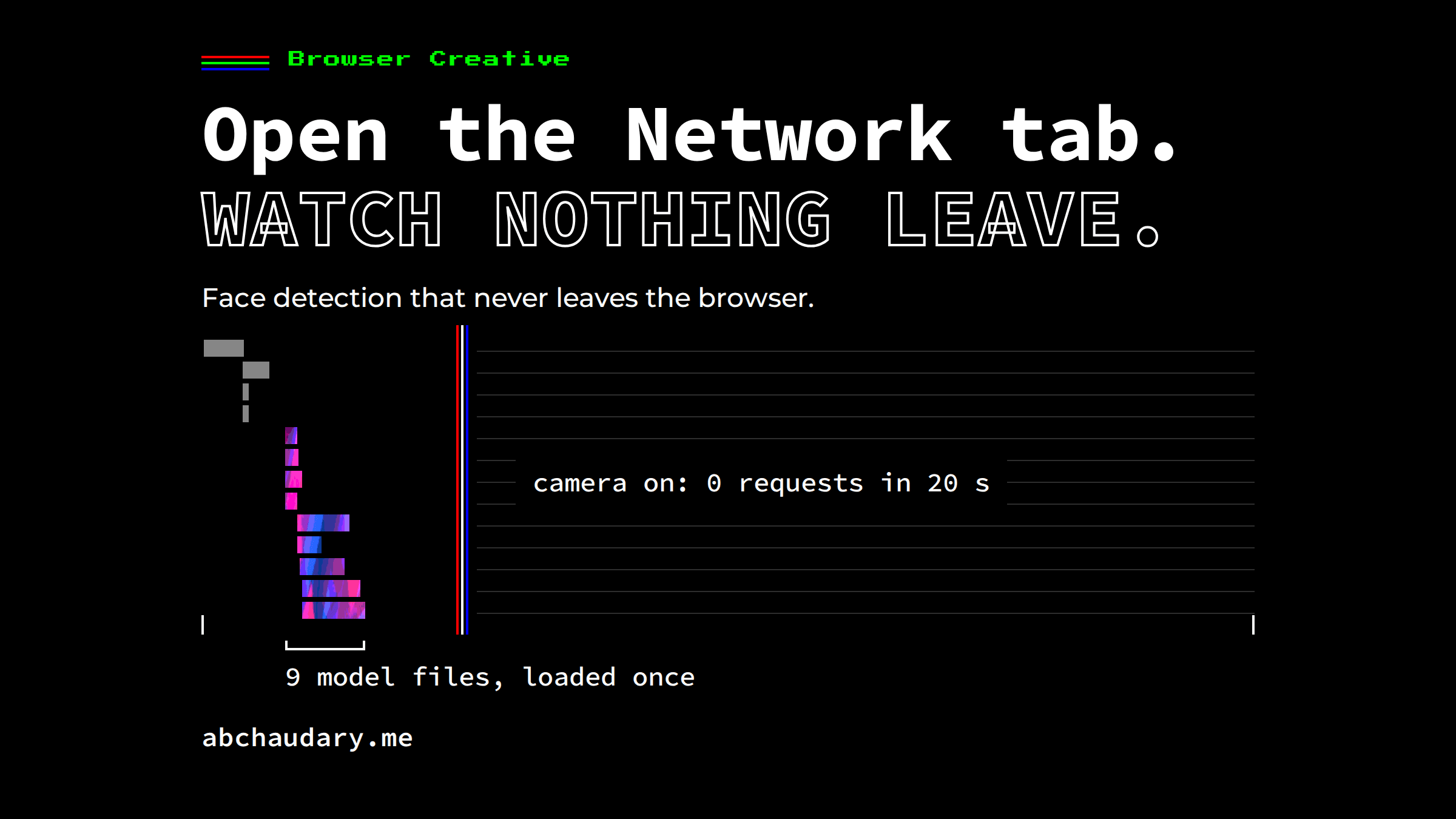
A privacy claim worth trusting is one you can check. The Network tab on a live face-api.js app shows the model weights load once, then zero requests while the camera runs.
TL;DR: face-api.js runs face detection and expression classification inside the browser on TensorFlow.js, so webcam frames never need to leave the device. You can verify face-api.js privacy instead of trusting it: open the Network tab, reload, start the camera, and watch. On my Emotions AI app, two cold captures on 2026-10-03 recorded the model weights downloading once from the site's own domain, then zero requests in the 20 seconds after the camera started.
Does face-api.js Send Webcam Frames Anywhere?
face-api.js does not send webcam frames anywhere by itself. The library describes itself as a "JavaScript face recognition API for the browser and nodejs implemented on top of tensorflow.js core", and inference runs on the frames already in the page. Whether frames leave the device depends on the app around it, which the Network tab can show.
Emotions AI is a small app built that way. The page loads two scripts from its own domain, the face-api.js bundle and the app script, with no CDN-hosted library, no analytics tag and no third-party script. The app script loads four model nets from /models on the same domain, asks for the camera only after they are ready, and then runs a detection loop every 100 ms:
const detections = await faceapi
  .detectAllFaces(video, new faceapi.TinyFaceDetectorOptions())
  .withFaceLandmarks()
  .withFaceExpressions();
Each detection result only changes the page's background colour and the labels drawn over the video. The app script contains no fetch, no XMLHttpRequest, no WebSocket and no sendBeacon call.
What Does the Network Tab Show While Emotions AI Runs?
The Network tab shows a short burst of downloads, then silence. I captured the live site twice with a cold cache, using Playwright 1.62.1 and Chromium 151 with a fake camera, recording every request from page load to 20 seconds after the camera started:
- Total requests: 13 in both runs, every one from the site's own domain.
- Model files: 9 requests (4 manifests, 5 weight shards), about 7.3 MB.
- Video playing (detection loop starts): 6,583 ms and 4,284 ms after navigation.
- Requests in the 20 seconds after that: 0 and 0.
- WebSockets, beacons, service workers: none.
The weight files match the sizes face-api.js publishes. The Tiny Face Detector shard was 193,321 bytes, against the README's "only 190 KB". The 68-point landmark model was 356,840 bytes, against "only 350kb". The expression model was 329,468 bytes, against "roughly 310kb".
To repeat the check on any page, open DevTools before you start. Chrome's documentation is explicit that "DevTools only logs network activity while it's open", so open the Network panel, reload, allow the camera, and leave it running. Anything uploaded would appear as a new row.
What Does a Clean Network Tab Prove About face-api.js Privacy?
A clean Network tab proves that no frame or result left the device while you were watching, and that every byte the page received came from its own domain. It does not prove the page will never send anything, for four reasons:
- It only covers the session you watched. Data could, in principle, be stored and sent on a later visit.
- It only covers that tab. Extensions and the browser's own traffic are outside it.
- It shows behaviour, not policy. Only a Content-Security-Policy such as
connect-src 'self'makes the browser block uploads to other origins, which turns "it does not send" into "it cannot send to anyone else". - The CDN can still report errors. The responses carry a Cloudflare Network Error Logging header, which lets the browser report failed connections to Cloudflare. The accurate claim is that no frame or result leaves the device, not that zero bytes ever do.
The camera itself is gated by the browser. MDN states that getUserMedia() "can only be used in secure contexts" and that "user permission is always required to access the user's audio and video inputs."
Why Does an On-Device Model Still Download Anything?
An on-device model still downloads its weights, because the browser needs them before it can run inference. That download happens once per cold load, and it flows toward the user, not away. In the two captures, the last model byte arrived at 4,141 ms and 3,012 ms on a headless datacentre server with software graphics, so treat those times as one run, not a benchmark.
The download suggests one practical rule: self-host the weights, because a same-origin /models folder keeps every byte on a domain you control, and keeps the Network tab easy to read.
Limitations
- The fake camera showed Chromium's test pattern, so no face was detected and per-frame latency was not measured. The face-found path in the app code makes no network call either.
- Timings come from one headless server and are not representative of a laptop or phone. The byte counts are the reliable figures.
- Firefox and Safari were not captured.
A privacy claim you can check beats one you have to trust. More browser experiments live in the Browser Creative category, including how a Web MIDI app should handle a device that disconnects mid-note. Should more AI features run on the device, and what would make you trust one that does?
References
- face-api.js README: the library's description, model sizes and
TinyFaceDetectorOptionsdefaults. - MDN: MediaDevices.getUserMedia(): secure context and permission requirements.
- Chrome DevTools: Inspect network activity: what the Network panel records and when.
- Emotions AI source on GitHub and the two Playwright captures recorded for this article: the primary source for every number above.